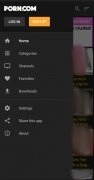
Porn.com Android is a Photography application developed by , but with the best Android emulator-LDPlayer, you can download and play Porn.com Android on your computer.
Running Porn.com Android on your computer allows you to browse clearly on a large screen, and controlling the application with a mouse and keyboard is much faster than using touchscreen, all while never having to worry about device battery issues.
With multi-instance and synchronization features, you can even run multiple applications and accounts on your PC.
And file sharing makes sharing images, videos, and files incredibly easy.
Download Porn.com Android and run it on your PC. Enjoy the large screen and high-definition quality on your PC!
You probably have no idea of how you've ended up on a page where you can download an app called Porn.com. Don't worry, you don't have to make up any excuses: you're here because you were simply searching for something.
Well, all those things you want to watch can be found in this application that offers us a wide range of content featuring people that love each other a lot and, in some cases, love themselves even more. You can explore the entire catalog of videos randomly or receive recommendations according to the latest trends, the top-rated videos or even about video channels that suit your preferences.
Main features
Furthermore, this adult video app also comes along with the following functions and features:
- Download videos and enjoy one of your favorite hobbies even without an Internet connection.
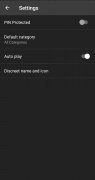
- Configure the app's advanced protection method with a PIN, a disguised icon, and a spy mode to keep your privacy protected.
- Save your favorite videos in the favorites tab.
- Choose between different resolutions both for the playback and downloads
Requirements and additional information:
- Minimum operating system requirements: Android 4.1.
- The installation of the app by means of the APK file requires the activation of the "Unknown sources" option within Settings>Applications.